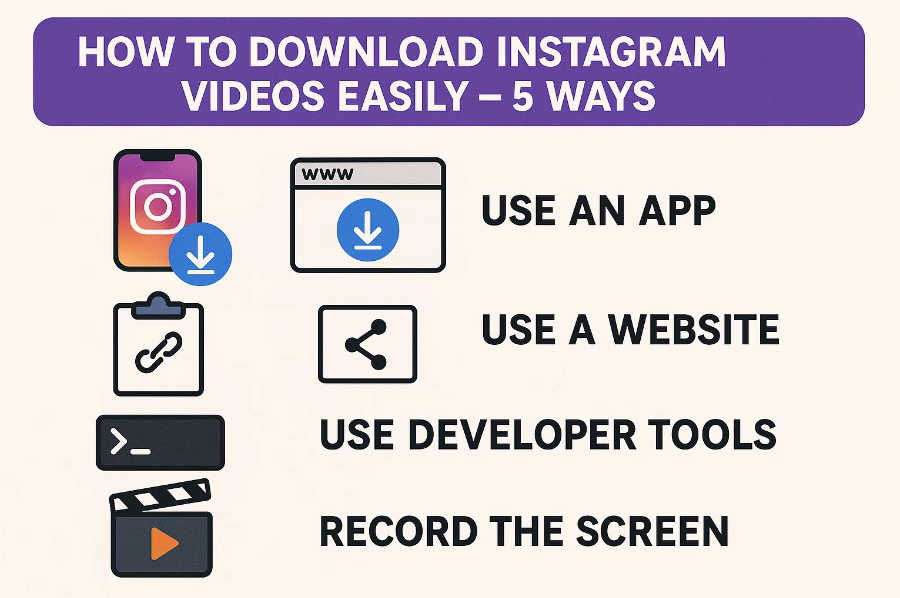
How to Download Instagram Videos Easily – 5 Ways

Instagram is full of amazing videos. You might want to save them for later. But Instagram doesn’t let you download videos directly. Don’t worry. There are simple ways to download Instagram videos. This guide shows you five easy methods.
1. Can You Download Instagram Videos Directly?
No, Instagram doesn’t have a built-in download feature. You cannot save videos from other users directly. Instagram only lets you save posts to your collection. But you cannot download them to your device. You need third-party tools to download Instagram videos.
See also: Boosting Home Comfort: The Art of Natural Light Control
2. Best Ways to Download Instagram Videos
Here are five simple methods. Choose the one that works best for you.
2.1 Use Video Downloader Software
Desktop software gives you the best quality. CleverGet Video Downloader is a powerful tool. It downloads videos from Instagram easily.
Just copy the video link. Paste it into the software. The video downloads in seconds. You can choose the quality you want. The software supports many video sites. It’s fast and reliable.
This method works for Reels, Stories, and regular posts. You get high-quality videos every time.
2.2 Use Online Story Downloader Websites
Online tools are very convenient. You don’t need to install anything. Just visit a downloader website. These sites are free to use.
Copy the Instagram video link. Go to the downloader site. Paste the link in the box. Click download. The video saves to your device.
Popular sites include InstaDownloader and SaveFrom. They work on any browser. You can use them on phones or computers.
2.3 Use Instagram Video Downloader Apps
Mobile apps make downloading easy. Search for “Instagram downloader” in your app store. Many free apps are available.
Download and install the app. Open Instagram and copy the video link. Open the downloader app. Paste the link and tap download. The video saves to your phone gallery.
These apps work on Android and iPhone. They’re perfect for quick downloads on the go.
2.4 Use Browser Extensions
Browser extensions are very handy. They add a download button to Instagram. Chrome and Firefox have many options.
Install the extension from your browser store. Visit Instagram in your browser. You’ll see a download button on videos. Click it to save the video.
Extensions work automatically. You don’t need to copy links. They make downloading super fast.
2.5 Use Screen Recording or Screenshot (Last Resort)
Screen recording is the last option. Use it when other methods fail. Both phones and computers have screen recorders built-in.
Open the Instagram video. Start your screen recorder. Play the video fully. Stop recording when done. Trim the recording if needed.
CleverGet Recorder is excellent for screen recording. It captures high-quality video. The recordings are clear and smooth.
This method takes more time. But it works for any video you can watch.
3. FAQs
Q1. Does Instagram notify users if I download their Stories?
No, Instagram does not send notifications. Users won’t know you downloaded their content. Third-party tools work silently. But always respect creator rights.
Q2. Can I download videos from private accounts?
No, you cannot download from private accounts. You must follow the account first. Private content is protected. Only followers can view it.
Q3. Is it legal to download Instagram videos?
Downloading for personal use is generally okay. But don’t repost without permission. Always credit the original creator. Respect copyright laws in your country.
Q4. How can I save my own video automatically?
Instagram saves your uploads automatically. Check your phone’s Instagram folder. You can also save before posting. Keep backups of your content.
Conclusion
Downloading Instagram videos is easy. You have many options to choose from. Desktop software offers the best quality. Online tools are quick and free. Mobile apps are convenient. Browser extensions are automatic. Screen recording always works.
Pick the method that fits your needs. Enjoy watching your favorite videos offline. Remember to respect content creators. Happy downloading!